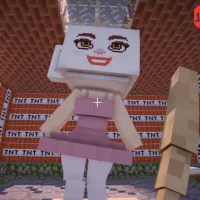
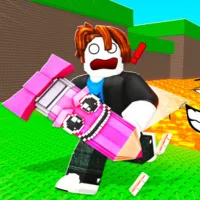
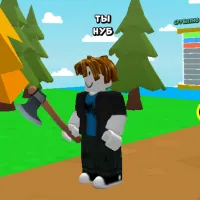
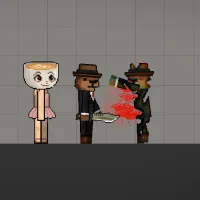
Stepping into 3D Tear Brainrot Ragdoll Playground Sandbox, players will find themselves in a vast 3D space. Here, there's no princess to rescue or final boss that must be defeated to pass the level. Your goal is pure creativity and the experience of absolute freedom. Players will be provided with a trove of tools. You can summon humorous ragdoll characters. Then use various weapons, from rudimentary items like sticks and axes to modern ones like guns, to interact with them. The fun part is that every action results in realistic yet surprising physical reactions. A gentle push can make a character tumble. A big explosion can launch everything into the air on unpredictable trajectories. Laugh your heart out at the comical and awkward situations you create yourself.
GAMEPLAY BREAKDOWN
To move forward and explore new areas of the map, press and hold the W key. To move backward for a better view or to avoid a flying object, the S key is a powerful assistant. To move left or right, use the A and D keys, respectively. Additionally, the space key allows the character to jump high. If you want the character to run faster or perform crouching movements, try combining it with the shift key.
The mouse is the tool for players to interact directly with the game world. Moving the mouse helps rotate the camera, allowing you to view everything around you. When you want to perform an attack action or activate a device, you just need to press the left mouse button. The right mouse button is used for opening optional submenus. Notably, the mouse scroll wheel will help you zoom in or out of your view.
To select a specific weapon or tool, use the number keys from one to nine on the keyboard. Instead of having to open your inventory and search, you just need to press the corresponding number to instantly pull out the item you need, whether it is a giant sledgehammer or a modern laser gun.
Highlights
- Ragdoll physics simulation mechanism. When hit, they will be thrown, spin around, and land in extremely funny poses.
- The game's graphics feature simple but colorful geometric blocks, reminiscent of classic sandbox titles.
- Brainrot characters are inspired by popular internet meme trends.
- The combination of a serious physics laboratory setting with the silliness of meme characters.
How to play
- Movement: WASD or arrow keys.
- Look around or Interact: Left click.
- Jump: Space.
- Options menu: Right click.
Tips for unleashing creativity
- Fully utilize the environment to create traps.
- Experiment with combining different types of weapons.
- Pay attention to special support items like magnets, springs, or explosives.
- Don't hesitate to try out the craziest ideas you can think of.
OTHER OPTIONS TO PLAY